How to use Threat Modeler
From a system diagram to a reviewed list of threats.
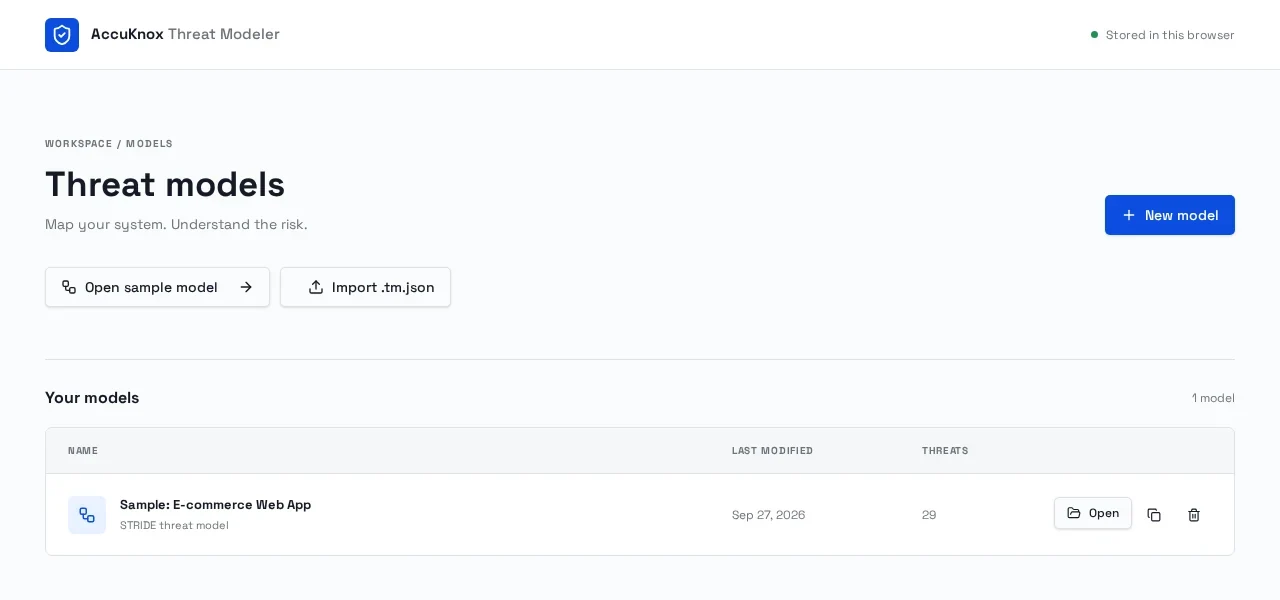
Start a model
Choose New model for a blank canvas, or Open sample model to view the one shared, read-only example. Use Make a copy to edit to create a private browser copy. Your models autosave only in this browser and are not visible to other users.
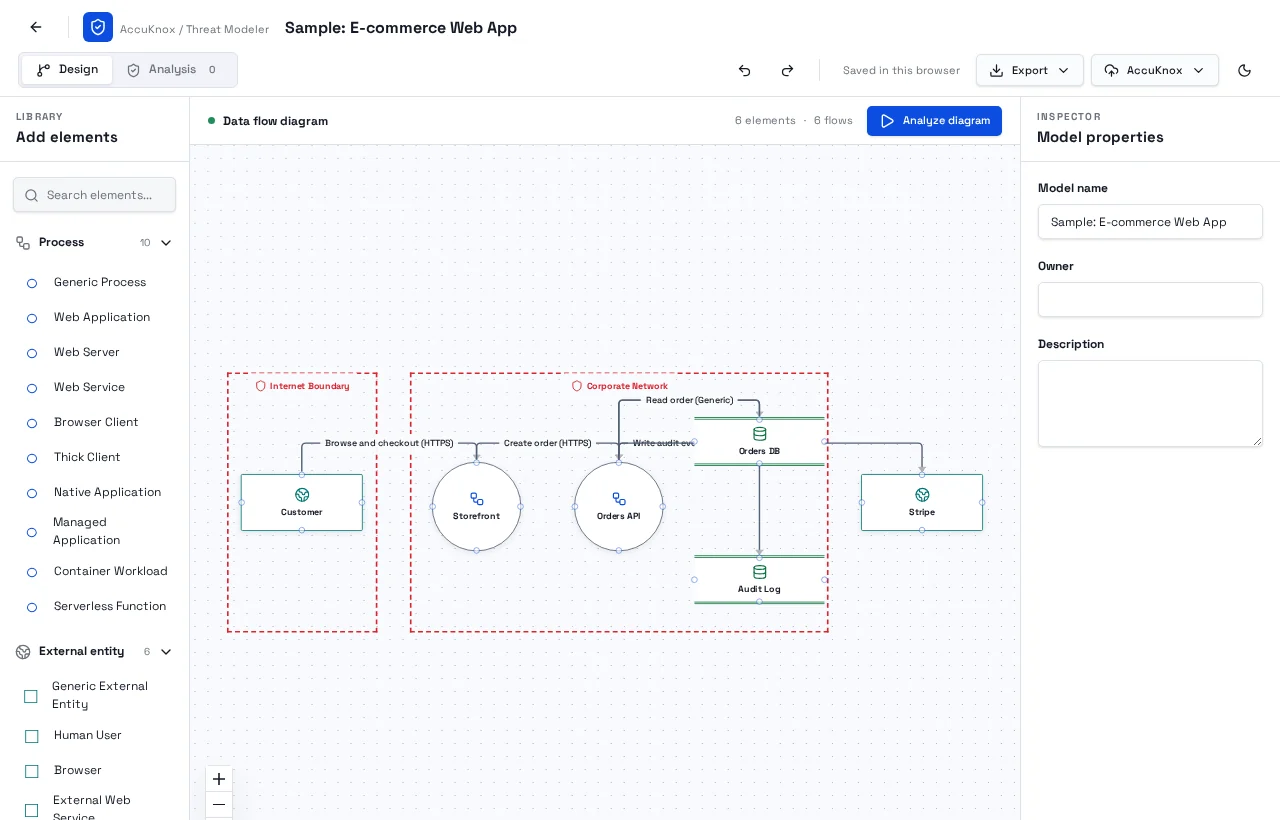
Draw your system
Drag a process, external entity, data store, or trust boundary from the left onto the diagram. Drag between the small connection points to create a flow. Select anything to edit its properties on the right; select a boundary to resize it.
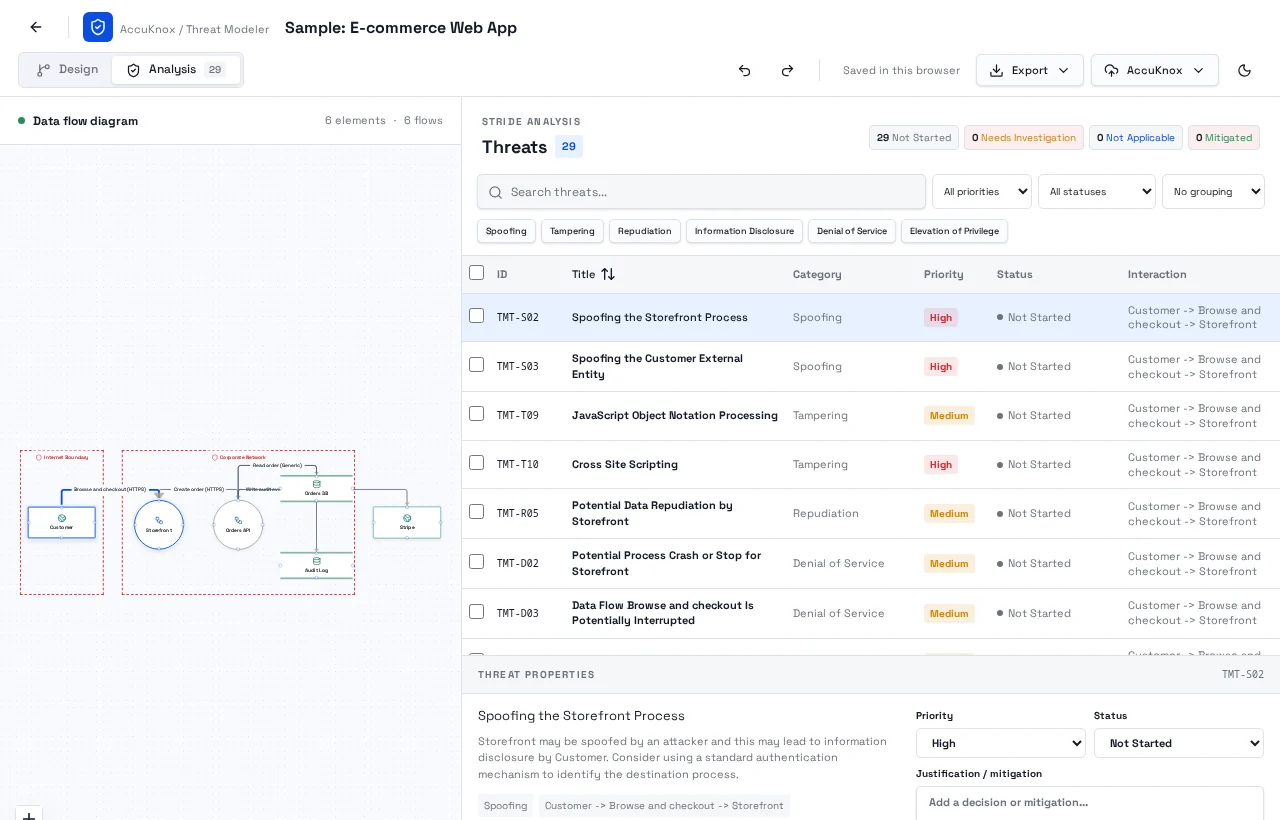
Review threats
Choose Analyze diagram to generate STRIDE findings. Search or filter the list, then select a row to set its priority, status, and mitigation notes. The corresponding flow is highlighted in the diagram.
Export & backup
Use Export in the editor to download a model JSON backup, a threats CSV, or SARIF 2.1.0 findings for other security tools.
Exports always reflect the latest saved state of the model, including your triage decisions and mitigation notes.
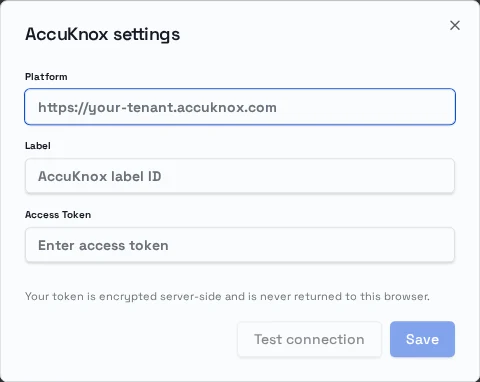
Sync with AccuKnox
Sign in, then open AccuKnox → Settings. Enter exactly your Platform, Label, and Access Token. The token is encrypted server-side and is never returned to the browser. Test connection checks connectivity, authentication, and findings access.
Push findings uploads analyzed threats. AccuKnox processes reports asynchronously, so Sync retries after 45 seconds at most twice. Sync findings proposes changes to the actual Priority, Status, and Justification fields. Review the proposal and choose Apply changes; unknown remote values remain visible and do not overwrite your local selection.
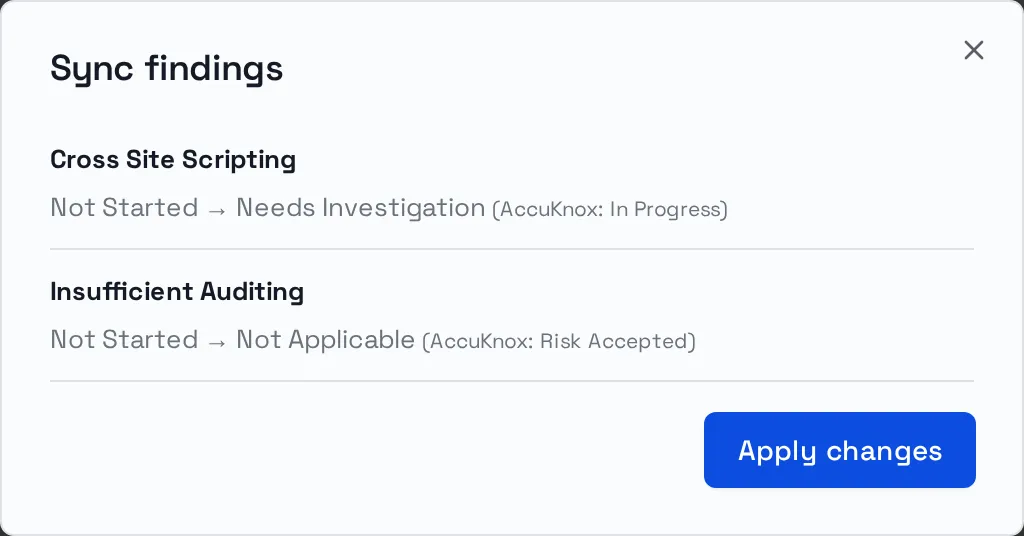
Open question: What priorities and statuses are tracked on the AccuKnox side? Known lifecycle values are mapped; unfamiliar values are shown for manual review.
Personal models and triage decisions stay in this browser. Export JSON backups regularly. The sample is public and read-only; signed-in AccuKnox credentials are private and encrypted server-side.
Open models